Upgrade and Migrate Hermes SEG 18.04 to 20.04
Introduction
Hermes SEG version 18.04 is based on Ubuntu Server 18.04 LTS (Bionic Beaver). On May 31, 2023, Ubuntu will reach the end of the standard five year maintenance window for Long Term Support (LTS) for 18.04 which means there will be no more bug fixes or security patches unless you opt to upgrade to Ubuntu Pro which will extend support to 2028 or upgrade your Ubuntu installation to a higher version. Fortunately, you can do an in-place upgrade of Hermes SEG 18.04 to Ubuntu Server 20.04 LTS (Focal Fossa) which will extend the standard maintenance window to May 31, 2028.
Ensure that you have a recent and valid backup of your Hermes SEG installation before attempting any of the steps below.
Install the latest updates and patches on Ubuntu Server 18.04 LTS
- Before you install the latest updates and patches it's a good idea to reboot your system in order for any automatic security updates that may have previously installed to take effect.
InLogin to a console prompt asroot,arunuser in the admin group (it's not recommended to attempt to perform the upgrade from a SSH session) and become root by running the following command and then typing your password when prompted:
sudo suapt-get update && apt-get dist-upgrade -y && apt-get auto-remove -y- After the updates have been successfully installed reboot your system.
Perform in-place upgrade of Ubuntu Server 18.04 LTS to Ubuntu Server 20.04 LTS
do-release-upgradeThird party sources disabled
Some third party entries in your sources.list were disabled. You can
re-enable them after the upgrade with the 'software-properties' tool
or your package manager.
To continue please press [ENTER]
Do you want to start the upgrade?


18 installed packages are no longer supported by Canonical. You can
still get support from the community.

20 packages are going to be removed. 190 new packages are going to be
installed. 752 packages are going to be upgraded.

You have to download a total of 616 M. This download will take about
2 minutes with your connection.

Installing the upgrade can take several hours. Once the download has
finished, the process cannot be canceled.

 Continue [yN]  Details [d]
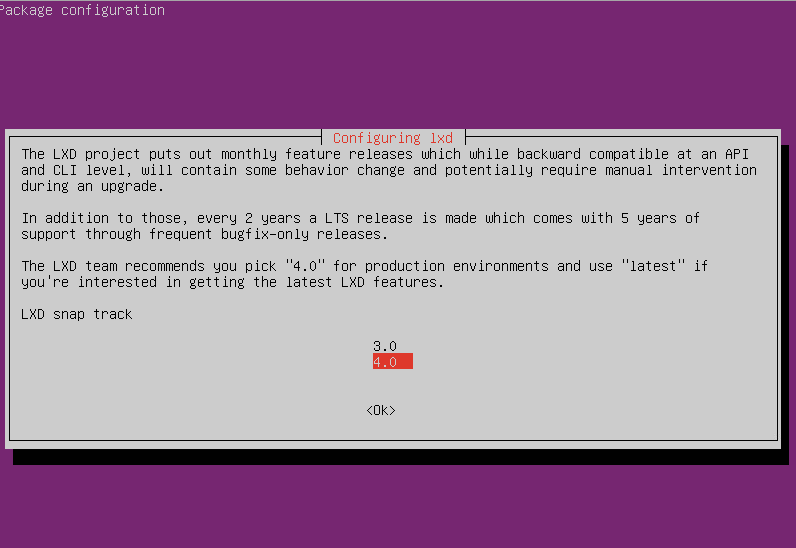
Figure 1
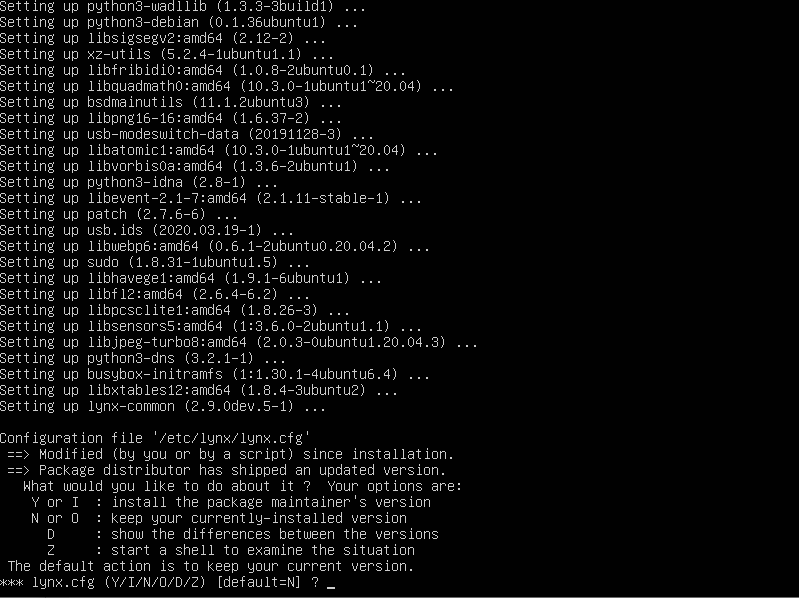
Figure 2