
Create Signature in Hosted Mail Webmail
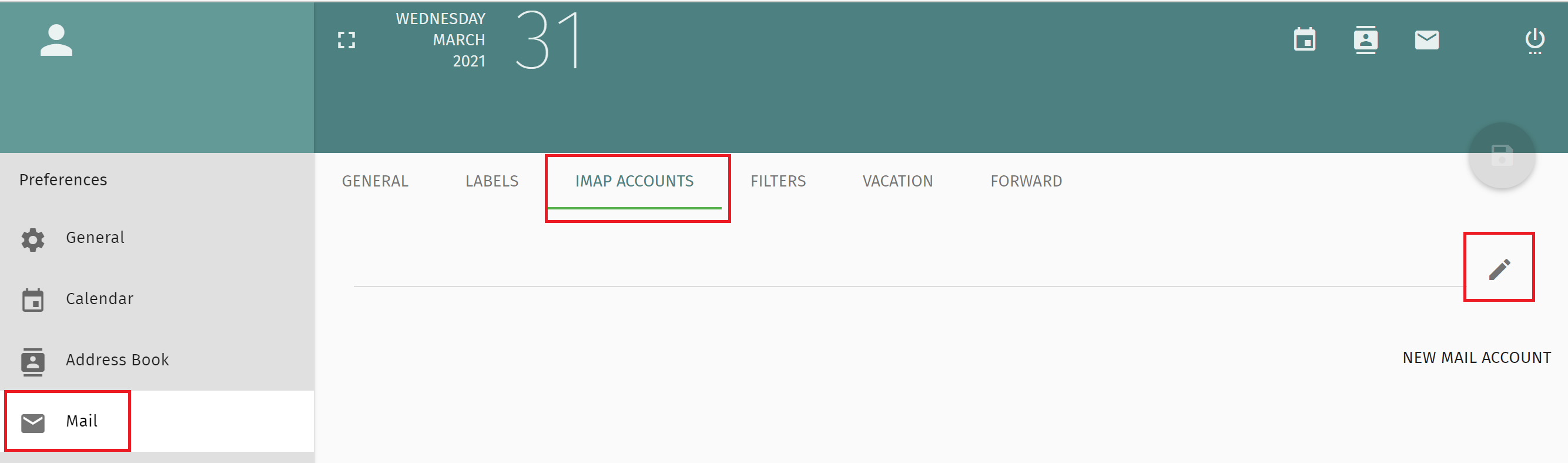
 icon on the top left (Figure 1):
Figure 1

 icon (Figure 2):
Figure 2
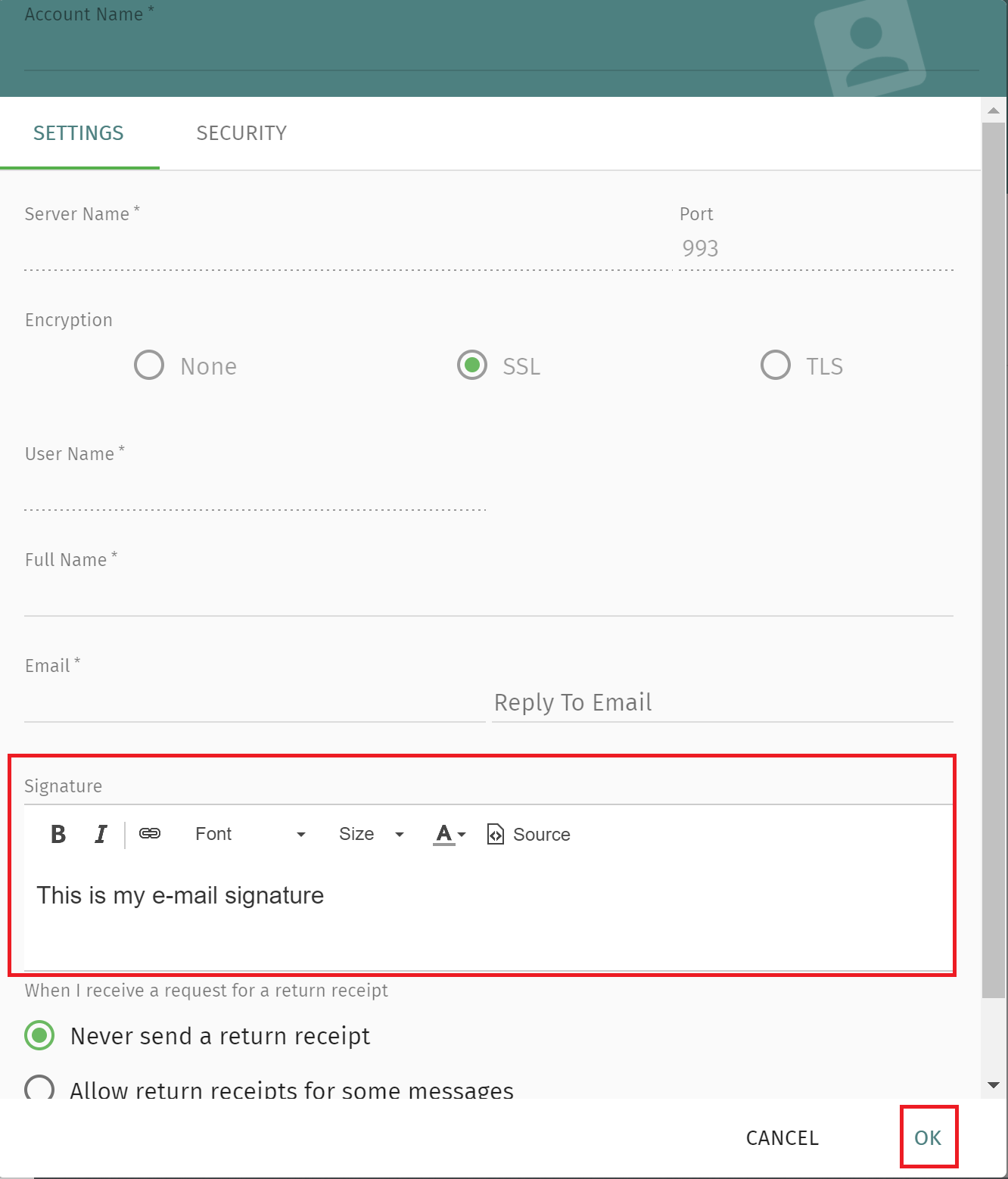
Enter your custom signature in the Signature section and then click the OK button at the bottom of the page (Figure 3):
Figure 3
icon on the top left (Figure 1):
Figure 1
icon (Figure 2):
Figure 2
Enter your custom signature in the Signature section and then click the OK button at the bottom of the page (Figure 3):
Figure 3