Sender Filters
The Sender Filters permits you to either Block or Allow sender email addresses or sender domainsdomains. Setting an action of ALLOW will only bypass the sender in the Spam filter. E-mails with banned files or malware will still be blocked. Only your Hermes SEG Administrator can set to yourallow emailfor address. those types of e-mails.
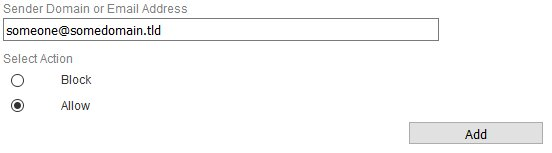
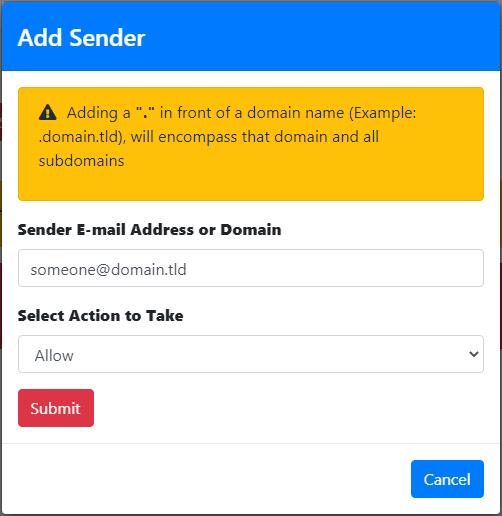
Add Email Address
Click the Add Sender Checkbutton Bypassand
in Underthe the resultant window enter an e-mail address in the Sender DomainE-mail Address or EmailDomain Addressfield, ...select either Allow field, enteror aBlock senderin emailthe address.
Under the Select Action to takeTake belowdrop-down and click the Submit field, select either a Block or Allow action.
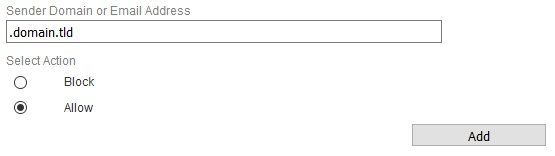
Click the Add button (
Figure 1)
:
Figure 1
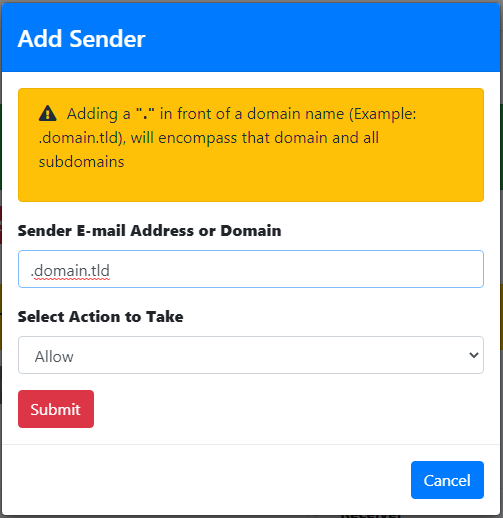
Add Domain
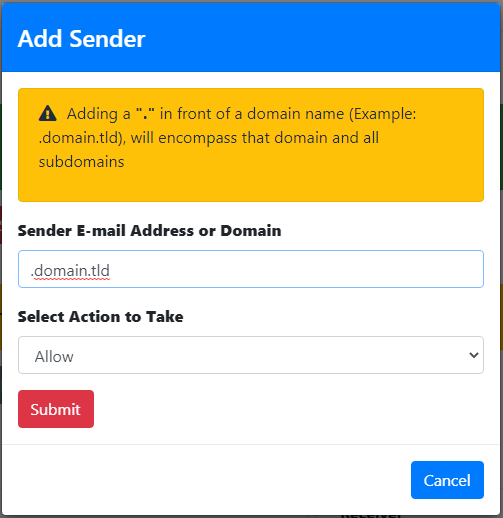
Click the Add Sender Checkbutton Bypassand
in Underthe the Senderresultant Domain or Email Address ... field,window enter a
senderdomain domain.in the Sender E-mail Address or Domain field, select either Allow or Block in the Select Action to Take drop-down and click the Submit button. If you
wantwish to include all the
all the sub-domains under a root domain then you would simply enter a (
.) dot in front of the domain. For example, if you want to include all the sub-domains for
domain.tld, you would simply enter
.domain.tld (note the
. in front of the domain)
(Figure 1).
Figure 1
Delete Sender
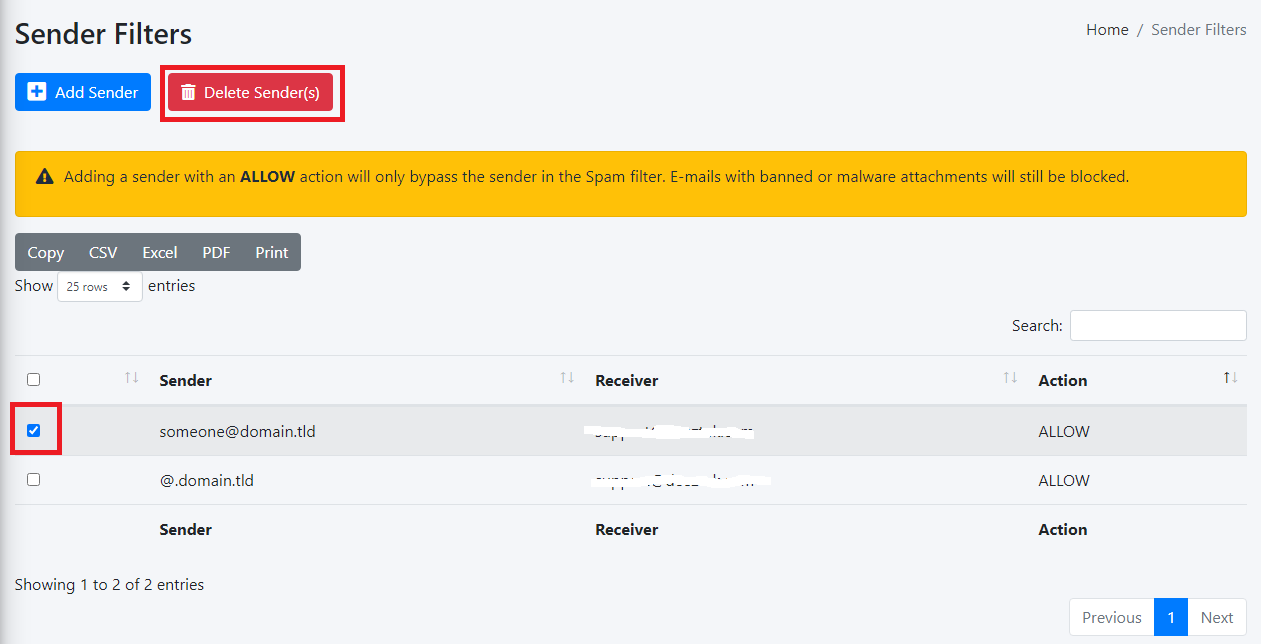
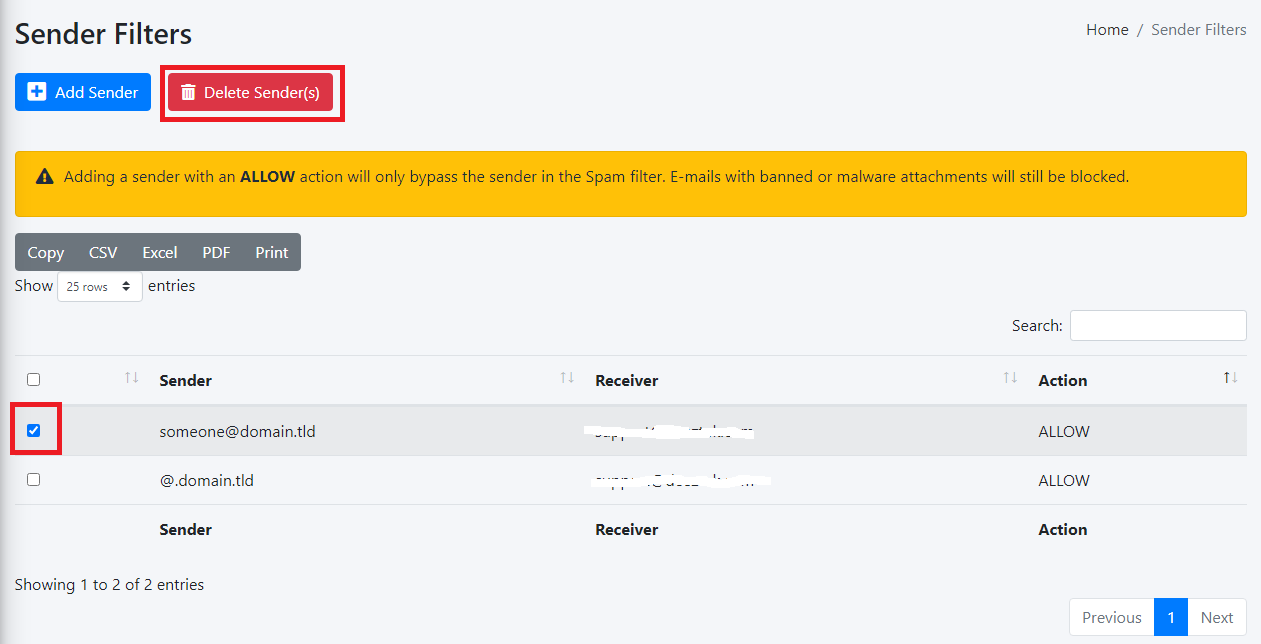
UnderPlace the Selecta Actioncheckmark on the sender(s) you wish to takedelete belowand click the Delete Sender(s) field, selectbutton either(Figure a Block1 or Allow action.):
Figure 1
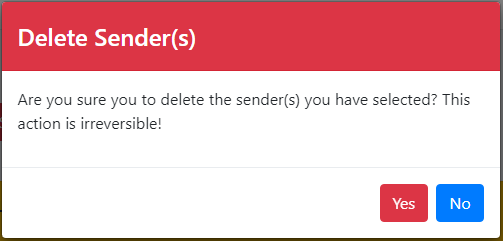
ClickOn the the resultant AddDelete Sender(s) confirmation window, click the YES button
to delete or NO to cancel (
Figure 2)
.
Figure 2
Delete Sender Checks Bypass Entries
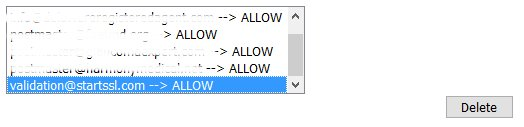
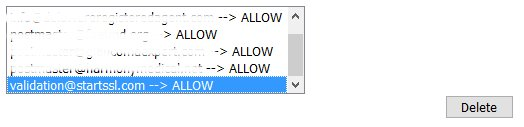
Select the entry you wish to delete from the senders listing (only one entry can be deleted at a time).
Click the Delete button on the bottom (Figure 3).
Figure 3