
SMTP TLS Settings
NOTE:It's Thisimportant featureto isset onlySMTP availableTLS within order to transmit e-mail messages between your Hermes SEG Promachine License.and other e-mail servers with TLS encryption.
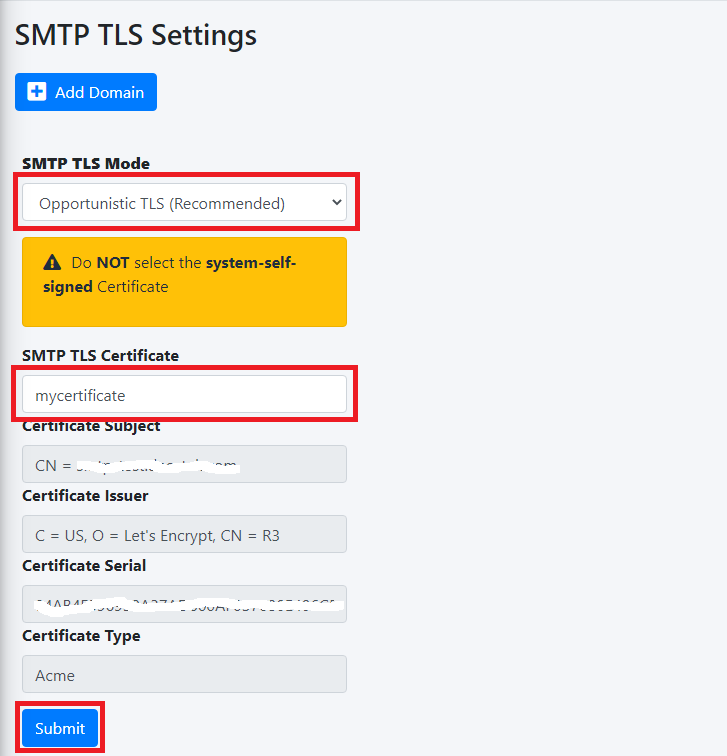
By default, SMTP TLS support in Hermes SEG is disabled. In this section you can enable Hermes SEG TLS support as well as installassociate the requiredSSL certificatescertificate andyou privatepreviously keyimported inor order to make it work.requested.
Hermes SEG support two SMTP TLS methods:
SMTP
Opportunistic TLS Available
In this mode, any time a remote SMTP server makes a connection, Hermes SEG announces that it supports STARTTLS, however it does not require TLS encryption. This mode, is the recommended mode if you need TLS encryption.
SMTP
Mandatory TLS Required
In this mode, any time a remote SMTP server makes a connection, Hermes SEG announces STARTTLS and it will NOT accept email without TLS encryption. This mode should NEVER be used on a public Internet facing Hermes SEG.
Before you can set SMTP TLS, you must first have either imported or requested a SSL Certificate in orderthe System Certificates section for the Host Name you set in the Network Settings.
A PEM encodedthe certificate isand humandisplay readeableit in a drop-down list. Click on the certificate that starts with:
-----BEGIN CERTIFICATE-----and ends with
-----END CERTIFICATE-----An unecrypted Private Key starts with:
-----BEGIN PRIVATE KEY-----and ends with
-----END PRIVATE KEY-----
1. Certificate
Figure 1

Open your PEM encoded certificate with a text editor and select and copyClick theentireSubmitcontents of the file to include the-----BEGIN CERTIFICATE-----and the-----END CERTIFICATE-----lines.
Figure 2
2. Unecrypted Key
Figure 3

3. Root and Int CA Certificate
Figure 4
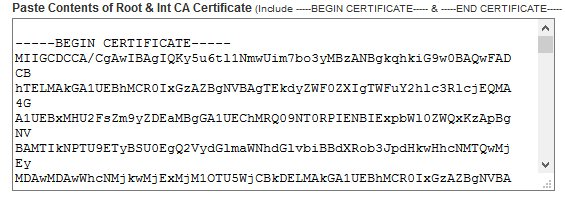
After you click the Save & Apply Changes button, the system will perform a validation on the certificate, private key and CA bundle combination. If you get a Success!! message, your Hermes SEG is ready to go with TLS Encryption. If there are errors, verify the contents you pasted in each field especially the Certificate and the Unencrypted Key fields since those seem to be the cause of most errors.
4.
Verify TLS Encryption and Certificate
The easiest way to verify whether or not your Hermes SEG TLS encryption is working correcly as well as verify the certificates you installed, is to goto http://www.checktls.com/perl/live/TestReceiver.pl and run the TestReceiver test.