
Network Settings
In this section you can setup the Hermes SEG network settings such as Hostname, IP address, Subnet, DNS and gateway. It's highly recommended that the Network Mode be set to Static.
The The NOTE:Host ThisName and Primary Domain Name you set in this section requiresis anyused savedfor changesSMTP totransactions besuch appliedas bySMTP clickingTLS theas Applywell Settingsas buttonsystem onfunctions thesuch bottomas ofOS the page.
1. Network Mode
Network Mode can be set to Static or DHCP.
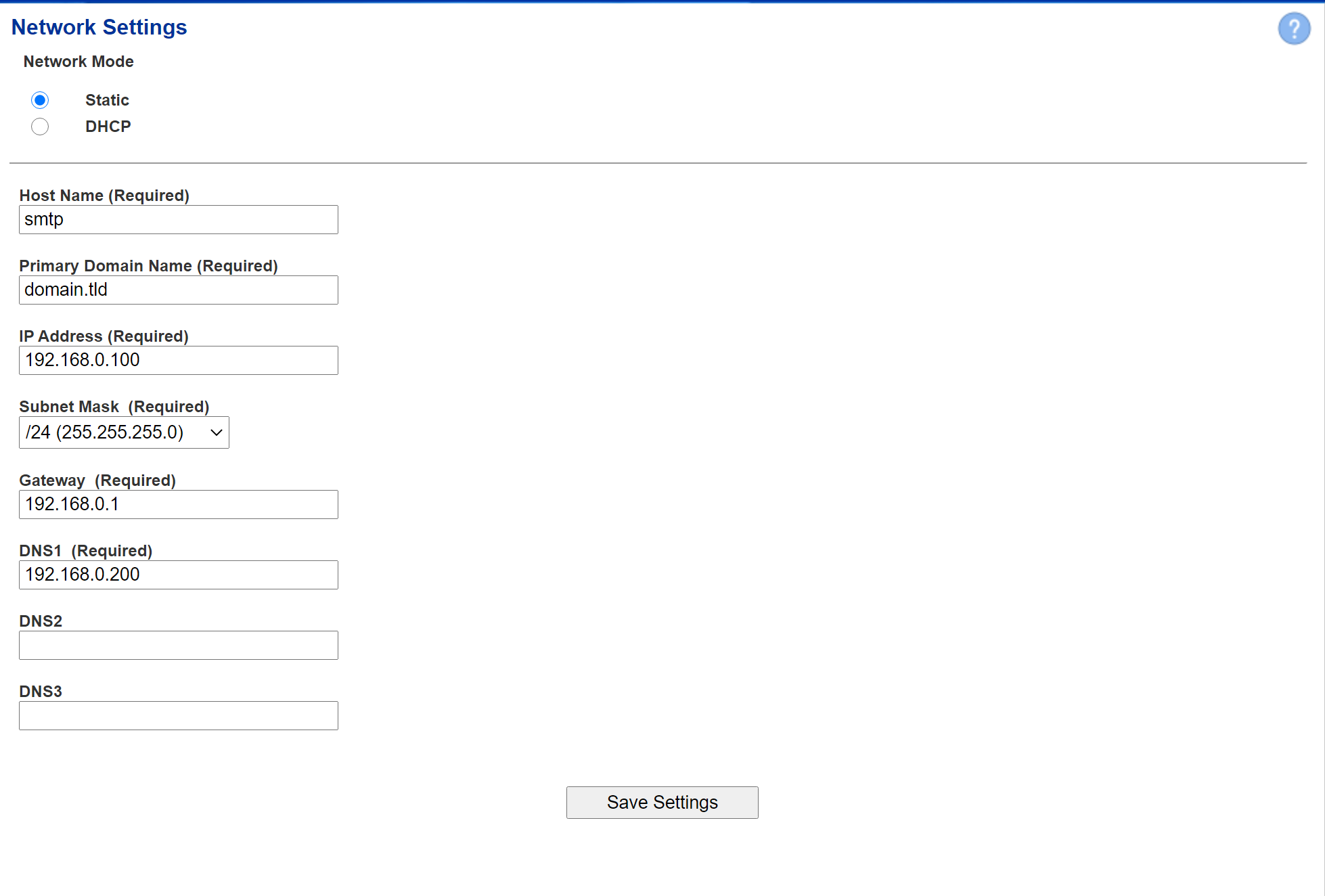
In Static mode, the following fields must be filled in manually (Figure 1):hostname.
Figure 1
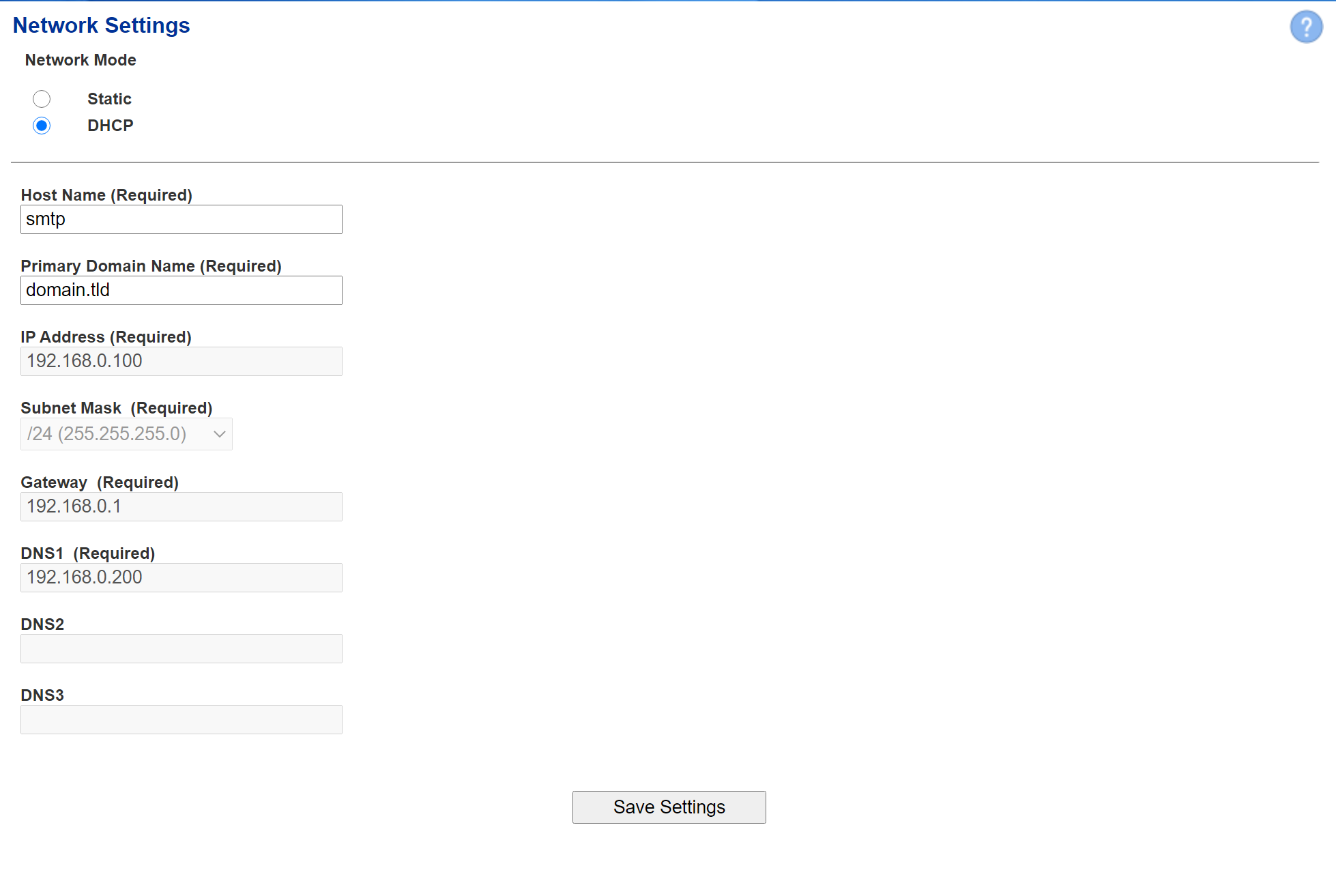
In DHCP Mode, the following fields must be filledFill in manually and the rest of the settings will be automatically retrieved from a network DHCP server (the Figure 2):
Figure 2
2. Host Name
field. ThisEnsure isyou enter only the Network name you want to assign to the Hermes SEG without the domain part. For instance,example, if the FQDN of your hostHermes nameSEG appliance is going to be smtp.domain.tld,tld, then in the Host Name field you wouldwill simply enterenter smtp without smtpthe domain part.
the 3. Primary Domain Name
field. ThisFor example, if the FQDN of your Hermes SEG appliance is thegoing to be smtp.domain.tld, then in the Primary Domain nameName field you wantwill tosimply assignenter domain.tld.
appliance 3. IP Address
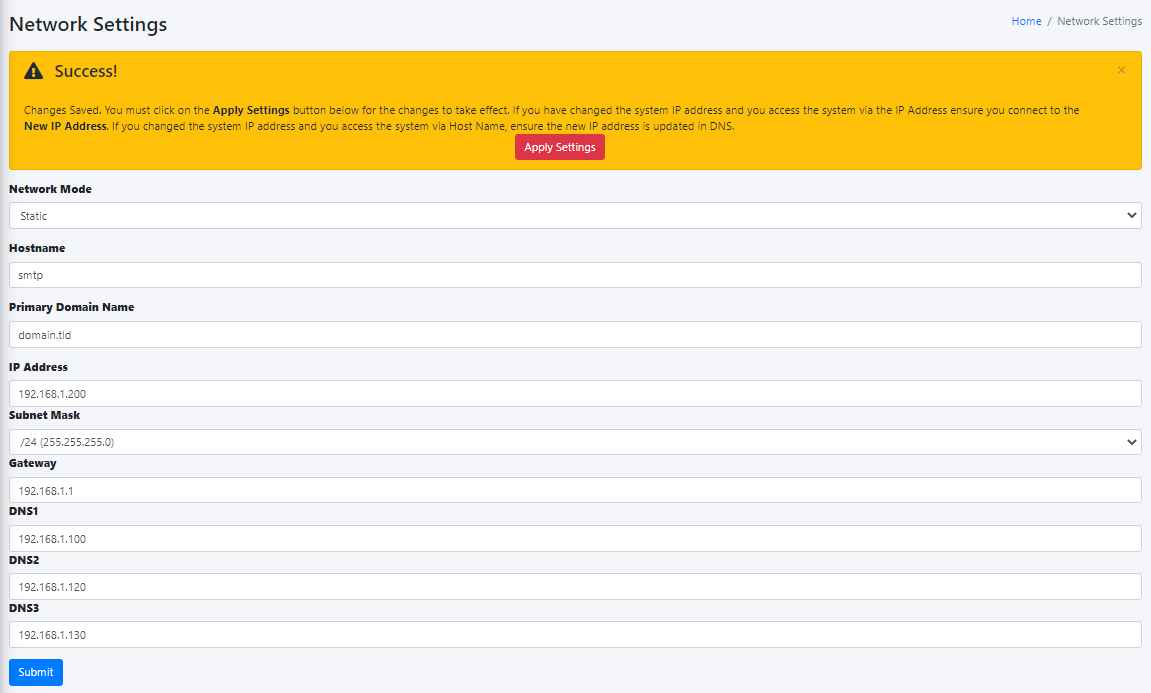
, This setting is valid only for Static Network Mode. Enterselect the IPv4appropriate Subnet Mask for your network, fill in the Gateway and DNS1. If applicable, fill in DNS2 and DNS3 fields.
Figure 1
4.Administrator SubnetConsole Mask
Web ThisGUI settingat
5. Gateway
This setting is valid only for Static Network Mode. Enter the IPv4 Gateway IP Addressyou forset yourabove.
6. DNS1
This setting is valid only for Static Network Mode. Enter the IPv4 IP Address of the primary DNS Server for your network.
7. DNS2
This setting is valid only for Static Network Mode. Enter the IPv4 IP Address of the secondary DNS Server for your network if applicable.
8. DNS3
This setting is valid only for Static Network Mode. Enter the IPv4 IP Address of the tertinary DNS Server for your network if applicable.