# Change Hosted Mail Mailbox Password

- <span class="text-4505230f--TextH400-3033861f--textContentFamily-49a318e1"><span data-key="52e8e12a566743939efc3109dbc2f849">Navigate to the Deeztek Mail UI at </span>[<span data-key="c62bcf59c4b24709896c544f78d5586e">https://mail.hosting.deeztek.com</span>](https://mail.hosting.deeztek.com/SOGo/)<span data-key="371db6ab8d5b4f318aaad3c5adf9bffc">​</span></span>
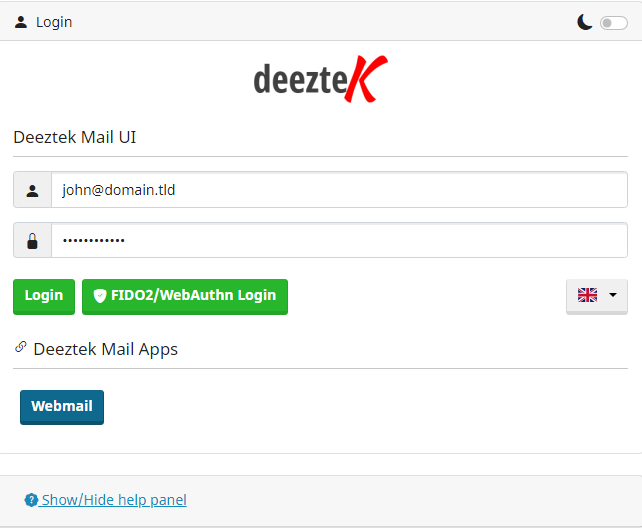
- <span class="text-4505230f--TextH400-3033861f--textContentFamily-49a318e1"><span data-key="6bdf31e628024c968d5ee4f40219f539">Enter your current mailbox username and password and click the **Login** button (**Figure 1**).</span></span>

<span class="text-4505230f--TextH400-3033861f--textContentFamily-49a318e1"><span data-key="76506d74ab304c00b0525ec714c62a0f">**Figure 1**</span></span>

[![image.png](https://docs.deeztek.com/uploads/images/gallery/2023-07/scaled-1680-/image.png)](https://docs.deeztek.com/uploads/images/gallery/2023-07/image.png)

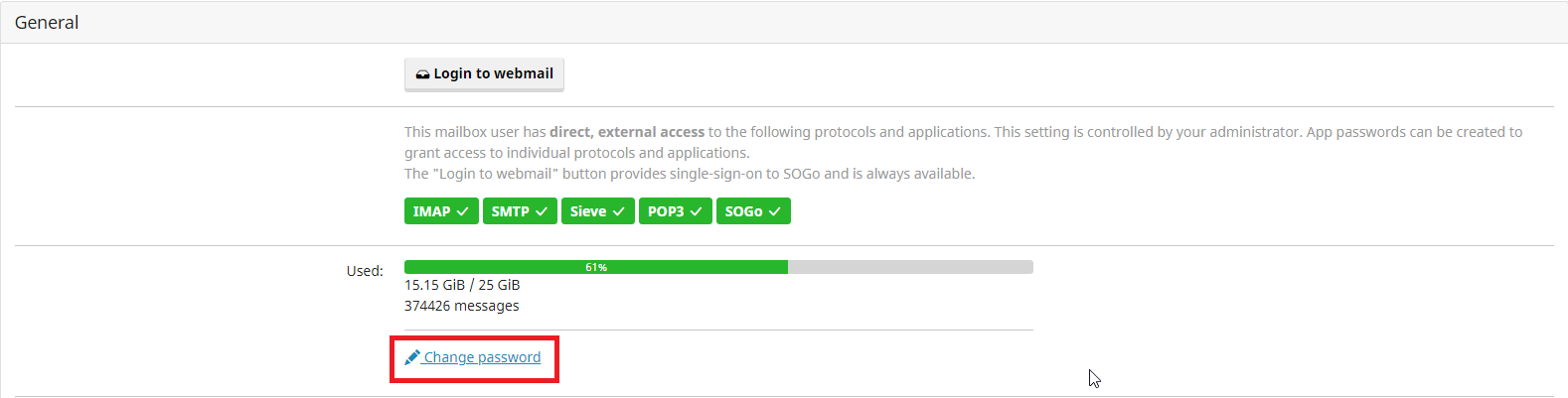
- <span class="text-4505230f--TextH400-3033861f--textContentFamily-49a318e1"><span data-key="b702cd7ab4b54c7fb6c66b72e021b037">Under the General section, click on the **Change password** link (**Figure 2**).</span></span>

<span class="text-4505230f--TextH400-3033861f--textContentFamily-49a318e1"><span data-key="735f7868712c43a4bd62bb5d3652f954">**Figure 2**</span></span>

[![image.png](https://docs.deeztek.com/uploads/images/gallery/2023-07/scaled-1680-/qsqimage.png)](https://docs.deeztek.com/uploads/images/gallery/2023-07/qsqimage.png)

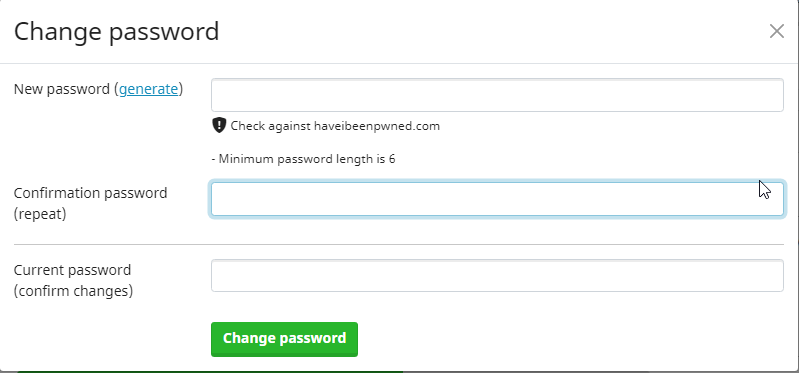
- <span class="text-4505230f--TextH400-3033861f--textContentFamily-49a318e1"><span data-key="1e2db9d21b4f4099be672bb15cf33a3e">In the **Change Password** window enter your NEW password in the first field, repeat the NEW password in the second field, enter your OLD password in the third field and click the **Change password** button. It's highly recommended to click on **Check against haveibeenpwned.com** after you entered your password in order to ensure the password you are attempting to use has not been compromised in previous data breaches. Alternatively instead of specifying your own password you can click on the **generate** link and have the system generate a password for you (**Figure 3**).</span></span>

<span class="text-4505230f--TextH400-3033861f--textContentFamily-49a318e1"><span data-key="4ec5e620cd5c456db730f0c371fd578f">**Figure 3**</span></span>

[![image.png](https://docs.deeztek.com/uploads/images/gallery/2023-07/scaled-1680-/Tpsimage.png)](https://docs.deeztek.com/uploads/images/gallery/2023-07/Tpsimage.png)

<div data-key="d8e56c6e8a224284819ac0f2b907b77d" data-slate-void="true" id="bkmrk--2"><div>  
</div><div>  
</div></div>