# Console Settings
The Hermes SEG **Console Settings** sets the method you wish to access Hermes SEG machine which includes the Admin Console, User Console and the Ciphermail Console. By default, the **Console Mode** is set to **IP Address**, however, an IP address is not contusive to using SSL certificates. Therefore, if you plan to use a SSL certificate to access the Hermes SEG machine, you must set the Console Mode to **Host Name**. The Host Name you set it does NOT necessarily have to the the same **Host Name** you set in **Network Settings** above. The **Host Name** and **Primary Domain Name** you set in the Network settings is used for SMTP transactions such as SMTP TLS and it's not related to Hermes SEG console access.
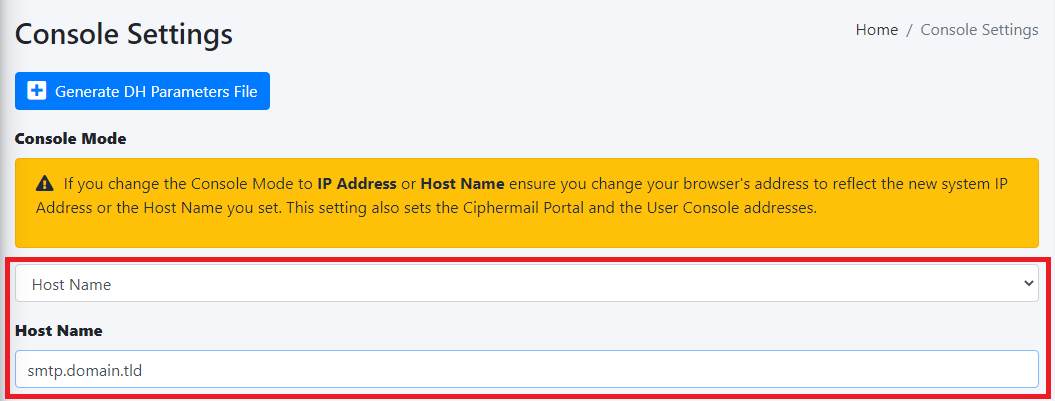
- Set the **Console Mode drop-down to **Host Name** and in the resultant **Host Name** field that appears, fill in the desired host anem you wish to use (**Figure 1**):
**Figure 1**
[](https://docs.deeztek.com/uploads/images/gallery/2022-01/image-1642868434350.png)
- The **Console Certificate** field is pre-populated with the **system-self-signed** certificate. If you wish to use a SSL certificate you set in the **Set System Certificates** section above, simply delete the **system-self-signed** entry and start typing the friendly name of the certificate you setup previously that matches the host name. The system will locate the certificate and display it in a drop-down list. Click on the certificate and the system will automatically populate all the rest of the Certificate fields such as the Subject, Issuer, Serial and Type (**Figure 2**):
**Figure 2**
[](https://docs.deeztek.com/uploads/images/gallery/2022-01/image-1642948341819.png)
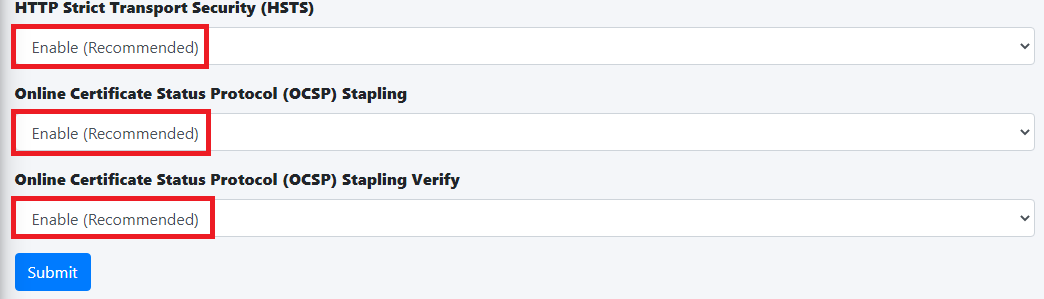
- We highly recommend that you enable **HTTP Strict Transport Security (HSTS)**, **Online Certificate Status Protocol (OCSP) Stapling, Online Certficiate Status Protocol (OCSP) Stapling Verify** and click the **Submit** button (**Figure 3**):
**Figure 3**
[](https://docs.deeztek.com/uploads/images/gallery/2022-01/image-1642948755741.png)
After clicking the **Submit** button and you changed the Console Mode from IP Address to Host Name, your browser will **NOT** automatically redirect you to the new console address. Ensure you enter the new address in your browser as **[https://<HOST\_NAME>/admin/](https:///admin/)** where **<HOST-NAME>** is the new Host Name you set above.
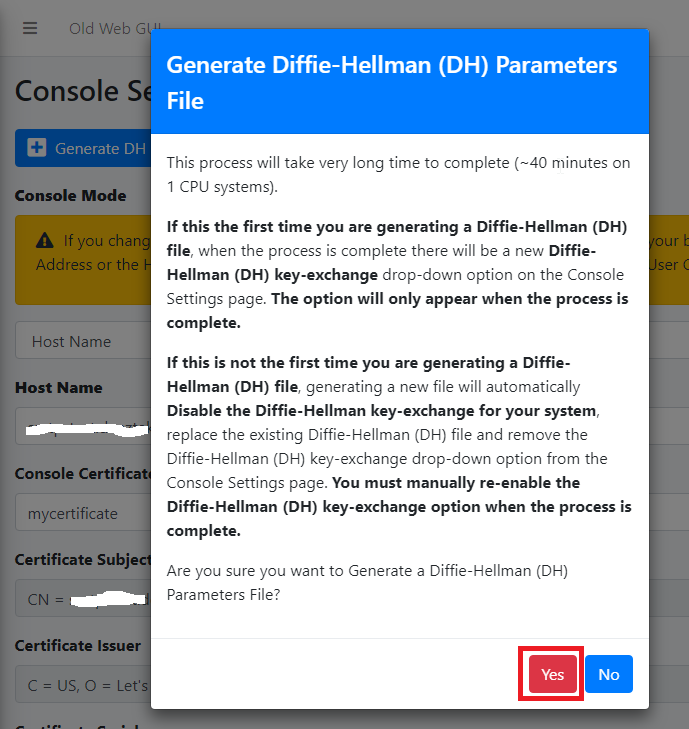
- Additionally, we recommend that you generate a **DH (Diffie-Hellman) Parameters** file by clicking the **Generate DH Parameters File** button and on the resultant **Generate Diffie-Hellman (DH) Parameters File** confirmation window, click on **Yes** (**Figure 4**):
**Figure 4**
[](https://docs.deeztek.com/uploads/images/gallery/2022-01/image-1642949292124.png)
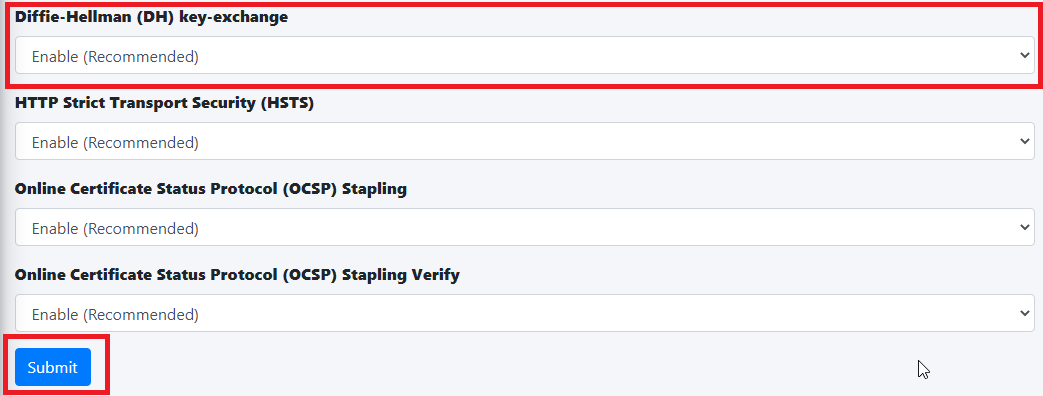
- Generating a DH Parameters file can take a very long time to complete (~40 minutes on 1-CPU systems). You can proceed to configure the rest of your system (**DO NOT reboot the system while it's generate a DH Parameters file**) and check back under **System --> Console Settings** to see if a new **Diffie-Hellman (DH) key-exchange** drop-down appears set it to **Enable** and click the **Submit** button below (**Figure 5**).
**Figure 5**
[](https://docs.deeztek.com/uploads/images/gallery/2022-01/image-1642950621363.png)
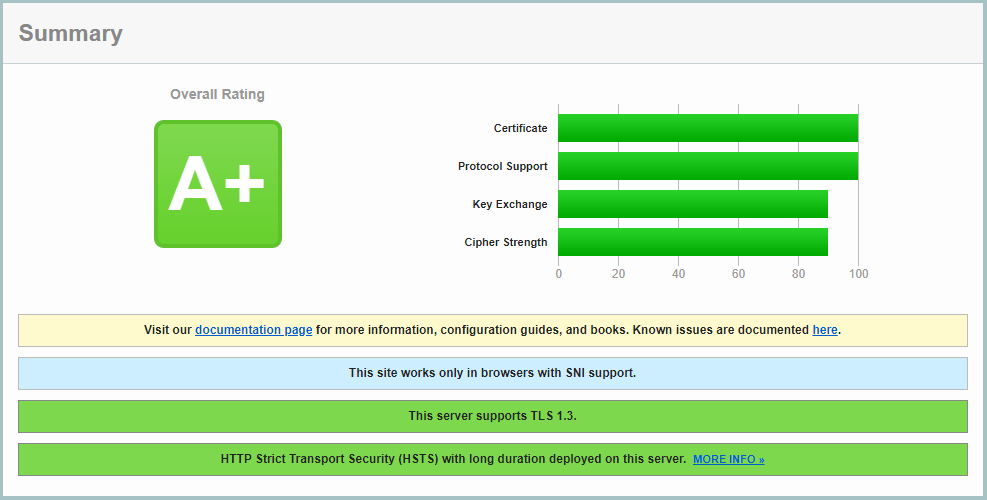
If you follow the above recommendations, you should be able to achive an **A+ rating** on the [Qualys SSL Labs SSL Server Test](https://www.ssllabs.com/ssltest/) (**Figure 6**):
**Figure 6**
[](https://docs.deeztek.com/uploads/images/gallery/2022-01/image-1642950749753.png)